What it is
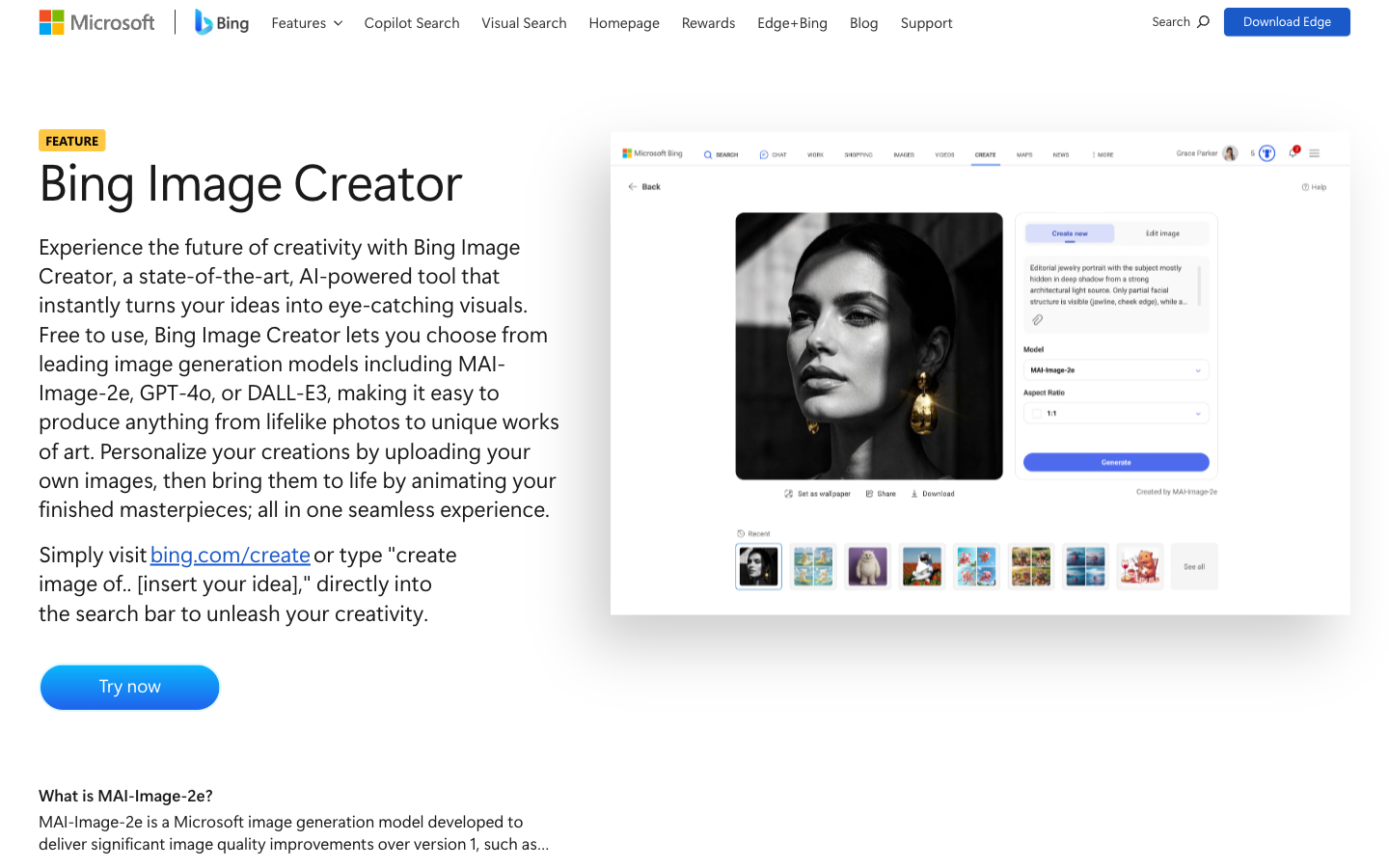
Bing Image Creator is Microsoft’s prompt-to-image tool, available through Bing and connected Microsoft experiences. A signed-in user describes an image, chooses from the currently offered generation options where available, and receives candidates that can be refined, downloaded, or used as a visual draft. Microsoft’s feature page currently presents multiple model choices, but availability, limits, speed, regions, and interface details can change. Generated images still need review for anatomy, text, brand confusion, bias, provenance, and permitted use.
Test bench
- Scope
- logged-out evaluation
- Checked
We evaluated the public path for creating a non-branded editorial illustration: write a concrete brief, generate candidates, inspect text and anatomy, revise one variable at a time, verify provenance signals, and download only a reviewed result.
Account boundary: The public creation entry, current Microsoft feature page, service terms, and privacy statement were checked. Generation requires a personal Microsoft account; no private prompt, uploaded image, or account history was used, so output quality and account-specific model availability are not claimed as hands-on results.
-
Write a production brief, not a keyword pile
The most testable prompt states subject, action, setting, composition, lighting, medium, and exclusions. Changing one variable per iteration makes improvement attributable.
-
Review every candidate at full size
Generated images can contain malformed hands, pseudo-text, unintended logos, inconsistent reflections, stereotypes, or misleading documentary cues.
Bing Image Creator feature overviewMicrosoft Services Agreement
-
Preserve provenance and a human decision log
Microsoft describes watermarking and C2PA provenance for generated outputs. Keep the prompt, selected file, model/date, and material edits with the asset.
- 1
Concrete briefSpecify subject, composition, lighting, medium, and exclusions in plain language.
- 2
Candidate reviewZoom in for anatomy, text, logos, cultural signals, and false documentary detail.
- 3
Provenance handoffKeep the selected file with its prompt, date, model context, and editing record.
Best for—and when to skip it
Best for
- Fast visual ideationA written concept can become multiple compositions before commissioning or producing a final asset.
- Editorial and presentation draftsNon-photoreal or clearly illustrative concepts can fill a brief when provenance is preserved.
- Personal Microsoft account usersThe browser workflow is accessible without a separate design application subscription.
Not the best fit
- Exact brand or product reproductionLogos, typography, geometry, and product details are unreliable and can create rights concerns.
- Factual documentary evidenceA generated image is synthetic and should never be presented as a real event or person without clear context.
- Work or school Entra-only accountsThe current consumer feature is described for personal Microsoft accounts, not organizational Entra accounts.
Pricing and limits
Bing Image Creator is available without a separate paid image subscription for eligible personal Microsoft accounts. Microsoft currently distinguishes a daily allotment of fast creations from slower standard creation; limits, models, rewards mechanics, and regions can change.
| Plan | Listed price | Best for | Important limits |
|---|---|---|---|
| Fast creation allowance | Free | A small daily batch of quicker generations | Current feature documentation lists 15 free fast creations per day; account, region, and service conditions apply. |
| Standard creation | Free after fast allowance | Non-urgent iteration | Generation may take longer; current documentation lists up to 200 prompts in a 24-hour period. |
| Microsoft Rewards use | Optional points where offered | Accounts offered additional fast creation mechanics | Availability and exchange mechanics can change and should not be treated as a guaranteed paid plan. |
Pricing sources: Bing Image Creator feature overview ↗Bing Image Creator ↗
Feature deep dives
Text-to-image prompt control
- What it does
- Turns a written scene description into generated image candidates using the models currently exposed to the account.
- Use it well
- State the image's job, subject, camera or composition, environment, lighting, medium, aspect intent, and explicit exclusions.
- Watch for
- Style-name prompting, public figures, protected characters, and branded products can create legal, ethical, or policy concerns.
Bing Image Creator ↗Bing Image Creator feature overview ↗Microsoft Services Agreement ↗
Model and edit options
- What it does
- Microsoft's current feature page describes multiple image models and an uploaded-image editing path, with availability changing over time.
- Use it well
- Choose a model based on the task, hold the prompt constant for comparison, and use uploaded-image editing only with rights to the source.
- Watch for
- Different models can reinterpret prompts, identity, text, and edit instructions; do not assume cross-model consistency.
Watermark and content credentials
- What it does
- Adds visible or machine-readable provenance signals intended to identify generated content.
- Use it well
- Preserve credentials through the editing and publishing pipeline and add human-readable disclosure when audience context calls for it.
- Watch for
- Metadata can be stripped by screenshots, recompression, or downstream tools, so provenance should not rely on one technical signal.
Plan a Bing Image Creator draft
A useful image-generation workflow defines the intended audience, aspect ratio, visual constraints, review criteria, and rights check before producing many variations.
Verify the current free-use boundary
Treat bing image creator free as an invitation to check the current account terms, generation allowances, speed or boost limits, and commercial-use conditions—not as a promise that every feature or output is unrestricted. Save the prompt, selected result, generation date, and any required disclosure with the final asset.
Direct alternatives comparison
Bing Image Creator is the simpler consumer ideation tool; DeepAI becomes more relevant when a developer wants a broader AI toolbox or API-oriented workflow.
| Tool | Choose it when | Main tradeoff | Price position |
|---|---|---|---|
| Bing Image CreatorReviewed | A personal Microsoft account user wants browser-based image ideation at no separate subscription cost. | Account, quota, model availability, and detailed controls can change. | Free fast allowance plus standard creation |
| DeepAI | Image generation should sit beside other AI utilities or developer-facing API access. | Different quality, controls, limits, and commercial terms require a separate evaluation. | Free tools with paid Pro/API usage |
| Manual illustration or licensed stock | Exact art direction, brand consistency, factual provenance, or cleared subject rights matter. | More time or budget than instant generation. | Per-asset, license, or commissioned cost |
Privacy and risk checklist
Image generation combines prompt data, synthetic media, intellectual-property uncertainty, and a high risk of misleading context. Review the content and the intended claim, not only whether the image looks polished.
-
Prompt and upload privacy
Prompts and uploaded images are submitted to a Microsoft service and may contain personal, confidential, or licensed material.
Do this: Remove secrets and personal data, use only source images you may upload, and review the current privacy statement.
Microsoft privacy statement ↗Bing Image Creator feature overview ↗
-
Rights and resemblance
Outputs can resemble brands, artists, copyrighted characters, public figures, or real people.
Do this: Avoid deceptive impersonation and protected brand use; obtain legal review for high-risk commercial publication.
-
Misleading realism
A photorealistic synthetic scene may be mistaken for evidence of a real person, place, or event.
Do this: Use clear labeling, avoid fabricated documentary claims, and choose an illustrative style when realism adds confusion.
Bing Image Creator feature overview ↗Microsoft Services Agreement ↗
-
Bias and defects
Generated candidates can reproduce stereotypes or create subtle physical, textual, and contextual errors.
Do this: Review at full resolution with a diversity and factual checklist, and reject rather than patch a misleading base image.
Bing Image Creator FAQ
Is Bing Image Creator free?
Microsoft currently offers free fast creations each day and standard creation after that for eligible personal Microsoft accounts. Limits and availability can change.
Do I need a Microsoft account for Bing Image Creator?
Yes. The current feature is described for a personal Microsoft account; work or school Entra accounts are not the same access path.
Which model does Bing Image Creator use?
Microsoft's current feature page describes multiple available models, including MAI-Image-2e, GPT-4o, and DALL-E 3, with options depending on the account and experience.
Can Bing Image Creator edit an uploaded image?
The current feature page describes image upload editing through the supported model path. Upload only material you have the right and permission to use.
Bing Image Creator feature overview ↗Microsoft Services Agreement ↗
Are Bing AI images watermarked?
Microsoft describes watermarking and C2PA content credentials for generated images. Preserve those signals and add visible disclosure when context requires it.
Can I use Bing Image Creator images commercially?
Commercial suitability depends on the current Microsoft terms, the prompt and output, third-party rights, and the intended use. A generated file is not a guarantee of clearance.
Copyable recipes
Editorial illustration brief
You need a clearly synthetic visual for an article or presentation.
Purpose: illustrate [idea], not a real event
Subject: [specific subject and action]
Setting: [place and time]
Composition: [wide/close, viewpoint, empty space for copy]
Lighting/color: [direction]
Medium: editorial illustration, visibly non-photographic
Exclude: logos, readable text, watermarks, public figures, extra limbs
Return varied compositions, not minor duplicates.- Generate a small batch and compare composition before detail.
- Zoom in and reject anatomy, pseudo-text, logo, bias, or factual issues.
- Store the chosen file with prompt, date, model context, and disclosure.
One-variable iteration log
Results are close but you need to learn which instruction improves them.
Base prompt: [paste]
Keep constant: subject / medium / viewpoint / lighting
Change only: [one variable]
Variant A: [value]
Variant B: [value]
Success criterion: [observable visual property]
Winner: [A/B/neither]
Reason: [specific evidence, not taste alone]- Save the base prompt and first output set.
- Change exactly one controllable instruction.
- Record the result before starting another iteration.
Features
Text-to-image prompting
Describe a subject, setting, composition, lighting, and style to generate candidate images.
Multiple generation options
Use the image models and quality or speed choices currently exposed to the account and region.
Prompt iteration
Revise the description and regenerate when composition, details, or visual direction do not match the brief.
Microsoft account workflow
Save or download selected results through the signed-in Bing experience, subject to current account controls.
Pros and cons
Strengths
- Easy to start for users who already have a Microsoft account.
- Useful for fast visual exploration and prompt comparison.
- Current Microsoft documentation exposes more than one generation option.
- Works in the browser without a separate design application.
Limitations
- Quotas, speed, models, and regional availability can change.
- Generated text, hands, logos, and fine details may be unreliable.
- A polished result can still create copyright, trademark, privacy, or impersonation concerns.
- The interface does not replace provenance records or a human publication review.
How to get started
Use one controlled prompt and a written review checklist so visual quality does not hide factual or rights problems.
Write a structured brief
Specify subject, action, environment, framing, lighting, visual medium, and exclusions instead of relying on a few style words.
Generate a baseline
Submit the prompt once and keep the wording alongside the candidates so later changes remain attributable.
Inspect at full size
Check faces, hands, small objects, signs, repeated patterns, accidental logos, and any detail that could imply a false fact.
Change one variable
Revise one part of the prompt—such as framing or lighting—so you can explain why the next result improved or regressed.
Record and review the selection
Save the chosen output with its prompt and date, then verify current Microsoft terms and the destination’s disclosure requirements.
Where it fits
Concept exploration
Generate multiple visual directions before commissioning or creating the final asset.
Presentation placeholder
Create a clearly labeled draft visual for an internal presentation where no real person or event is implied.
Prompt comparison
Test how a single controlled wording change affects composition, mood, and detail.
Prompt lab
Change one variable; learn from every generation
A prompt gallery is useful only when you can trace an output back to a brief and explain what changed between versions.
Lock the subject
Keep the subject, action, and intended use stable across the comparison.
Change one dimension
Adjust framing, lighting, medium, or mood—not all four at once.
Inspect the whole frame
Check fine details, accidental marks, identity cues, and implied factual claims.
Alternatives worth comparing
DeepAI
A collection of browser-based generative tools and APIs, including text-to-image generation.