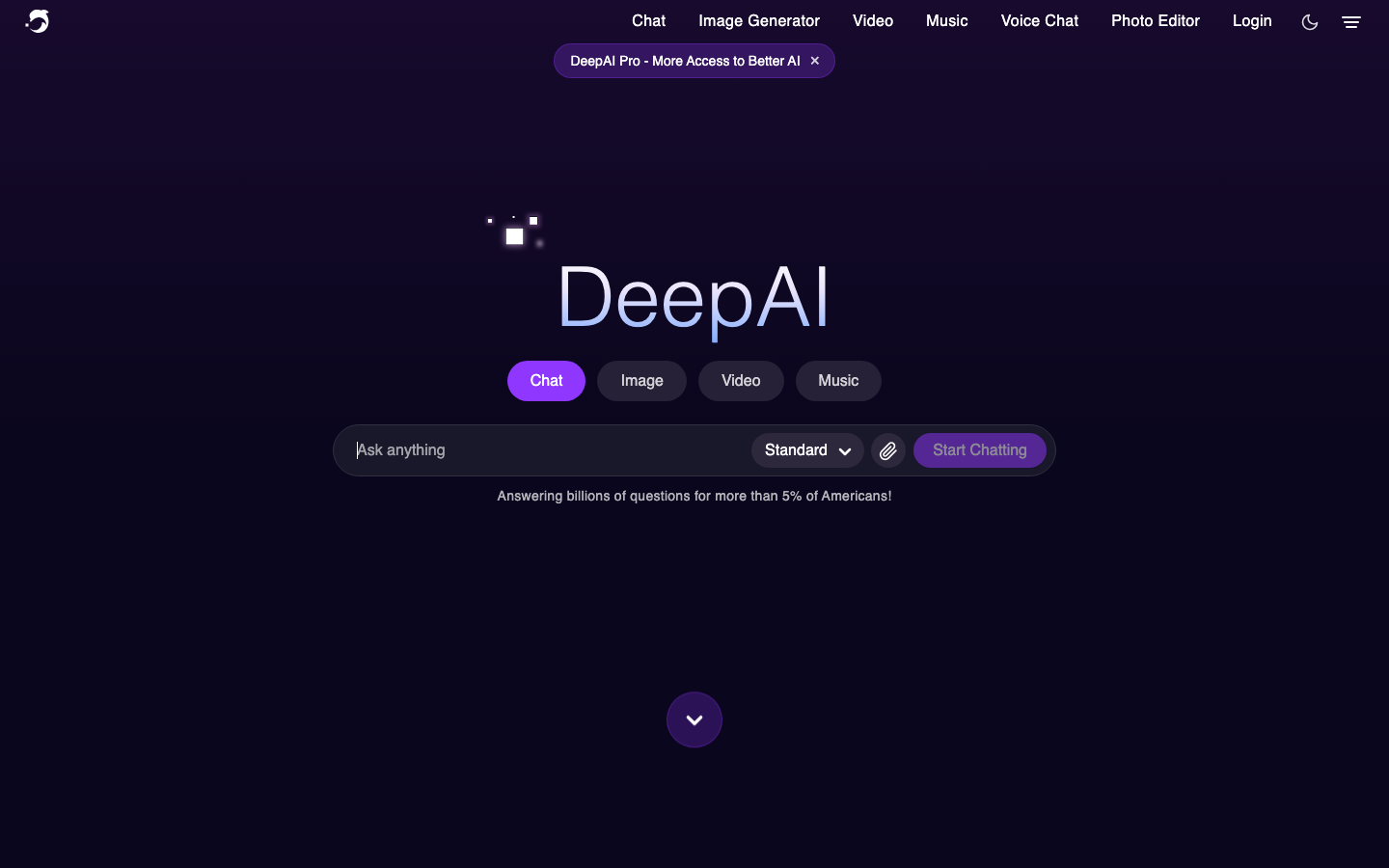
What it is
DeepAI is a browser-based creative AI platform from Deep AI, Inc. Its toolkit combines text-to-image generation, prompt-based photo editing, AI Chat, video and music generation, voice chat, image detection, enhancement utilities, and developer APIs. Visitors can try core browser tools without creating an account, while DeepAI Pro unlocks advanced modes, larger monthly allowances, private generations, API access, and an ad-free experience.
Features
Text-to-image generation with selectable modes
Generate an image from a written prompt, choose from more than 100 displayed styles, and select HD, Genius, or Super Genius modes where available. The documented API also supports dimensions, negative prompts, model versions, and selected visual preferences.
Prompt-based photo editing and image utilities
Upload an image or provide its URL, describe a change, and generate an edited result. DeepAI also lists background removal, colorization, super resolution, image replacement, and related image-processing tools.
AI Chat with specialized modes
AI Chat can draft stories, messages, and code. Available modes include web-enabled Online Mode and subscription modes for stronger reasoning, web access, and longer cited research reports.
Video, music, and voice creation
The browser suite includes video generation from prompts or images, music generation, and voice chat. Video generation is restricted to Pro members and is metered by generated seconds or individual Hollywood Mode videos.
Documented image APIs
Developers can call image generation, photo editing, background removal, colorization, super resolution, and other image endpoints. Requests use POST, authenticate through an api-key header, and return JSON containing a job identifier and output URL on success.
Commercial use under the service terms
DeepAI's current terms state that users retain their rights in supplied inputs and generated outputs and may use generated user content commercially when that use complies with the terms.
Pros and cons
Strengths
- Core creative tools can be tried in a browser without mandatory signup.
- One service covers image generation, editing, chat, video, music, voice, detection, and developer use cases.
- The API documentation provides endpoints, authentication details, parameters, response examples, and examples in multiple programming languages.
- The current terms permit broad, including commercial, use of compliant generated user content.
- Advanced image modes and numerous selectable styles support quick visual experimentation.
Limitations
- Advanced chat and image modes, video generation, and API access require a Pro subscription.
- Usage beyond Pro's monthly allowances draws from a prepaid wallet, and a positive wallet balance is required for continued paid usage.
- DeepAI warns that chat responses can be incorrect, biased, harmful, or outdated depending on the selected mode, so consequential output requires independent verification.
- DeepAI's video documentation says that uploading to the video generator gives the company the right to share the uploaded image and resulting video publicly.
- Generated images may not always be realistic, and output quality still depends heavily on prompt specificity and iteration.
How to get started
This workflow follows DeepAI's first-party image-generator guide and API documentation. The browser route is the simplest way to evaluate the service before considering Pro or an integration.
Open the official image generator
Visit DeepAI's official image-generator page. The standard browser generator can be tested without creating an account.
Describe the intended image
Enter a concrete prompt naming the subject, setting, mood, lighting, and desired visual style. DeepAI recommends specificity and useful style keywords.
Choose a style and available generation mode
Select a visual style and, where your access permits it, an HD, Genius, or Super Genius option. Match the choice to whether speed, detail, or a particular aesthetic matters most.
Generate and refine
Generate the image, inspect composition and unwanted details, then revise the prompt or try another style. API users can also supply a negative prompt to discourage specified artifacts or elements.
Edit or enhance the result
Use the available editor and enhancement actions for prompt-based changes, background removal, or resolution improvement when needed.
Save the result and review permitted use
Download or share the selected result, then check the current terms before commercial publication or when the input includes third-party material.
Optional: reproduce the workflow through the API
From a Pro account, copy the API key, keep it out of client-side code, send a POST request to the documented model endpoint with the key in the api-key header, and handle both the returned output URL and documented error responses.
Where it fits
Concept art and visual ideation
Generate fast visual directions for characters, environments, article illustrations, presentations, or early design discussions, then iterate through prompts and styles.
Marketing and social-media drafts
Create candidate visuals for advertisements, social posts, pitch decks, and branding exploration before human review and final production.
Photo cleanup and transformation
Describe changes to an uploaded image, remove a background, colorize an older black-and-white image, or enhance apparent detail through the browser tools or APIs.
Research, drafting, and coding assistance
Use AI Chat to draft text or code, enable Online Mode for current web information, or use the Pro-only Deep Research mode for longer reports with displayed sources. Verify important conclusions independently.
Short-form multimedia experiments
Turn prompts or images into short video, generate music, or explore voice-based AI interaction from the same product family. Video and advanced usage are subject to Pro allowances and overages.
Embedding image functions in an application
Integrate generation, editing, colorization, upscaling, or background removal through documented POST endpoints without operating an image model directly.
Move from a rough idea to an image, edit, short video, song, or conversation without leaving the DeepAI toolkit.
Explore DeepAIA quiet observatory above violet clouds, cinematic light…
Image
Prompt, choose a style, generate, refine.
Chat
Draft, code, explore, or research with a suitable mode.
Motion + sound
Extend an idea into video, music, or voice.
What people are saying
A qualitative sample of attributable Product Hunt and Reddit discussion—not a score or consensus.
Recommended as a free mobile-friendly option
In a November 2024 discussion seeking a free image generator usable from Android, a commenter recommended DeepAI's text-to-image page while qualifying that it depended on whether the tool suited the requester's needs.
View discussionUser praised the depth of generated artwork
A commenter responding to artwork made with DeepAI said they liked the depth the service could create, offering a concise positive reaction to an actual output.
View discussionFree experimentation was useful but limited
A user reported getting interesting results from simple prompts but said the free image allowance ran out, after which they wanted stronger confidence that a paid tool would match their intended aesthetic.
View discussionAlternatives worth comparing
Leonardo.Ai
A visual-generation platform offering text-to-image, image-to-image, editing, upscaling, consistency controls, video tools, and APIs.
Midjourney
A dedicated image-generation service with web and Discord workflows, image prompting, personalization, Describe, and high-resolution generation features documented by Midjourney.