क्या है Text zu Handschrift Converter?
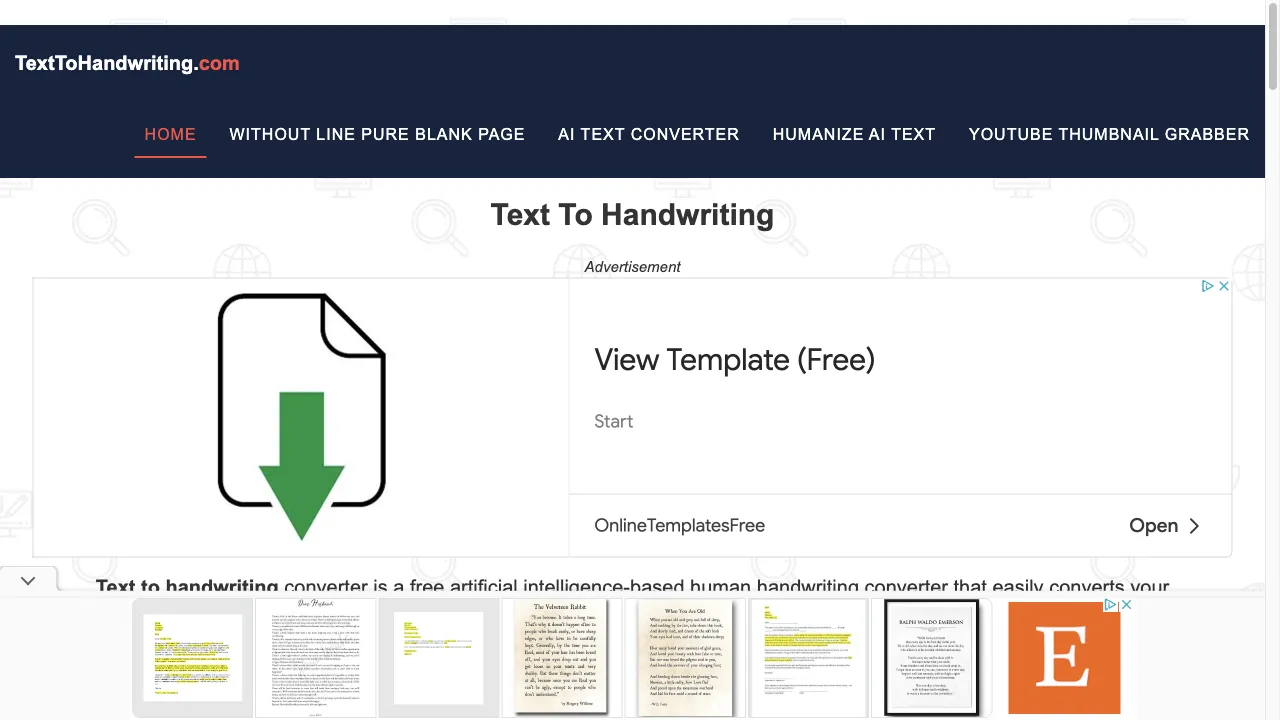
Text to Handwriting Converter is a web-based tool that transforms typed text into handwritten-style documents. It is particularly beneficial for educators, students, and professionals who wish to add a personal touch to their documents. The tool mimics the nuances of handwriting to evoke nostalgia and enhance emotional connections with the presented content. Users can select from multiple handwriting styles, adjust font sizes, choose ink colors, and download the final output as an image file, all at no cost.
Text zu Handschrift Converter ट्रैफिक एनालिटिक्स
Text zu Handschrift Converter मासिक विजिट
Text zu Handschrift Converter शीर्ष विजिट किए गए देश
Text zu Handschrift Converter शीर्ष कीवर्ड्स
Text zu Handschrift Converter वेबसाइट ट्रैफिक स्रोत
Text zu Handschrift Converter विशेषताएँ
User-Friendly Interface
The website is designed for ease of use, enabling users to quickly navigate through the conversion process without requiring technical skills.
Multiple Handwriting Styles
Users can choose from eight different handwriting styles, allowing for customization based on personal preference or specific needs.
Adjustable Font Sizes
The tool offers options to select different sizes for headings and content, providing flexibility in document presentation.
Color Options
Users can select pen ink colors from blue, red, and black, which helps in personalizing the output further.
Downloadable Output
Once the text is converted, users can download the output as an image file, making it easy to share or print.
Free to Use
The service is available at no cost, making it accessible to a wide audience.
Text zu Handschrift Converter फायदे
Accessibility
The tool is free to use, making it accessible to anyone with internet access.
Customization
The ability to choose handwriting styles, sizes, and colors allows for a personalized output.
Time-Saving
The tool simplifies the process of creating handwritten documents, saving users time compared to traditional methods.
Engagement
Handwritten content can enhance engagement and emotional connection with the audience.
Text zu Handschrift Converter नुकसान
Limited Handwriting Styles
While there are eight styles available, some users may find the selection limited compared to the variety of natural handwriting.
Image Quality
As the output is an image file, it may not be suitable for all types of professional documentation, especially where text editing is required.
No Offline Access
The tool requires an internet connection, which may be a limitation for users in areas with poor connectivity.
उपयोग कैसे करें Text zu Handschrift Converter
Step 1: Visit the Website
Go to Text to Handwriting Converter.
Step 2: Input Your Text
Paste the text you wish to convert into the designated text box. This can include headings and body content.
Step 3: Select Handwriting Style
Choose from the eight available handwriting styles to find the one that best fits your needs.
Step 4: Adjust Font Size
Select the desired size for both the heading and content text.
Step 5: Choose Ink Color
Pick an ink color from the options provided (blue, red, or black).
Step 6: Generate the Handwriting Image
Click the "Generate Image" button to create your handwritten document.
Step 7: Download Your Document
Once generated, you can download the image file for use as needed.
कौन उपयोग कर रहा है Text zu Handschrift Converter
Educational Purposes
Teachers can create assignments or notes that appear handwritten, making them more engaging for students.
Personalized Communication
Individuals can send personalized messages or invitations that feel more intimate than standard typed text.
Creative Projects
Artists and designers can use the tool to create unique content for projects, such as greeting cards or art pieces.
Professional Documentation
Professionals can enhance reports or presentations with handwritten notes, adding a personal touch to formal documents.
टिप्पणियाँ
"This tool has transformed how I create my lesson plans. The handwritten notes make them feel more personal!"
"I love the concept, but I wish there were more handwriting options to choose from."
"Great tool for sending invitations – it really adds a personal touch!"
"The user interface is intuitive, making it easy to use. Highly recommend!"
"I appreciate the customization options available, but the image quality could be improved."
संदर्भ
Text zu Handschrift Converter विकल्प

An innovative AI platform for creating visual content.

एक ऑनलाइन प्लेटफ़ॉर्म जो पेशेवर रिज़्यूमे बनाने में मदद करता है।

एक ऑनलाइन प्लेटफ़ॉर्म जो रिज़्यूमे और कवर लेटर को अनुकूलित करता है।

एक ऑनलाइन उपकरण जो प्लैगियारिज्म की जांच और लेखन गुणवत्ता में सुधार करता है।

AI-powered image upscaling tool for high-quality visuals.

विभिन्न उपयोगकर्ताओं के लिए बहुपरकारी टेक्स्ट-टू-स्पीच सॉफ़्टवेयर।
YouTube वीडियो संक्षेपण के लिए निःशुल्क AI उपकरण।

एक ऑनलाइन प्रूफरीडिंग और लेख विश्लेषण उपकरण।

AitoHumanConverter transforms AI-generated text into human-like content.

एक उन्नत AI उपकरण जो दृश्य सामग्री उत्पन्न करता है।

एक बहुपरकारी दस्तावेज़ और नोट-लेखन एप्लिकेशन।

AI-जनित पाठ को मानव-समान सामग्री में आसानी से परिवर्तित करें।

AI-generated टेक्स्ट को मानव-जैसे सामग्री में सहजता से बदलें।
एक AI लेखन उपकरण सामग्री निर्माण और SEO अनुकूलन के लिए।

एक सहज प्लेटफार्म निबंध लेखन के लिए।

AI द्वारा उत्पन्न सामग्री को मानव-समान पाठ में बदले।