What it is
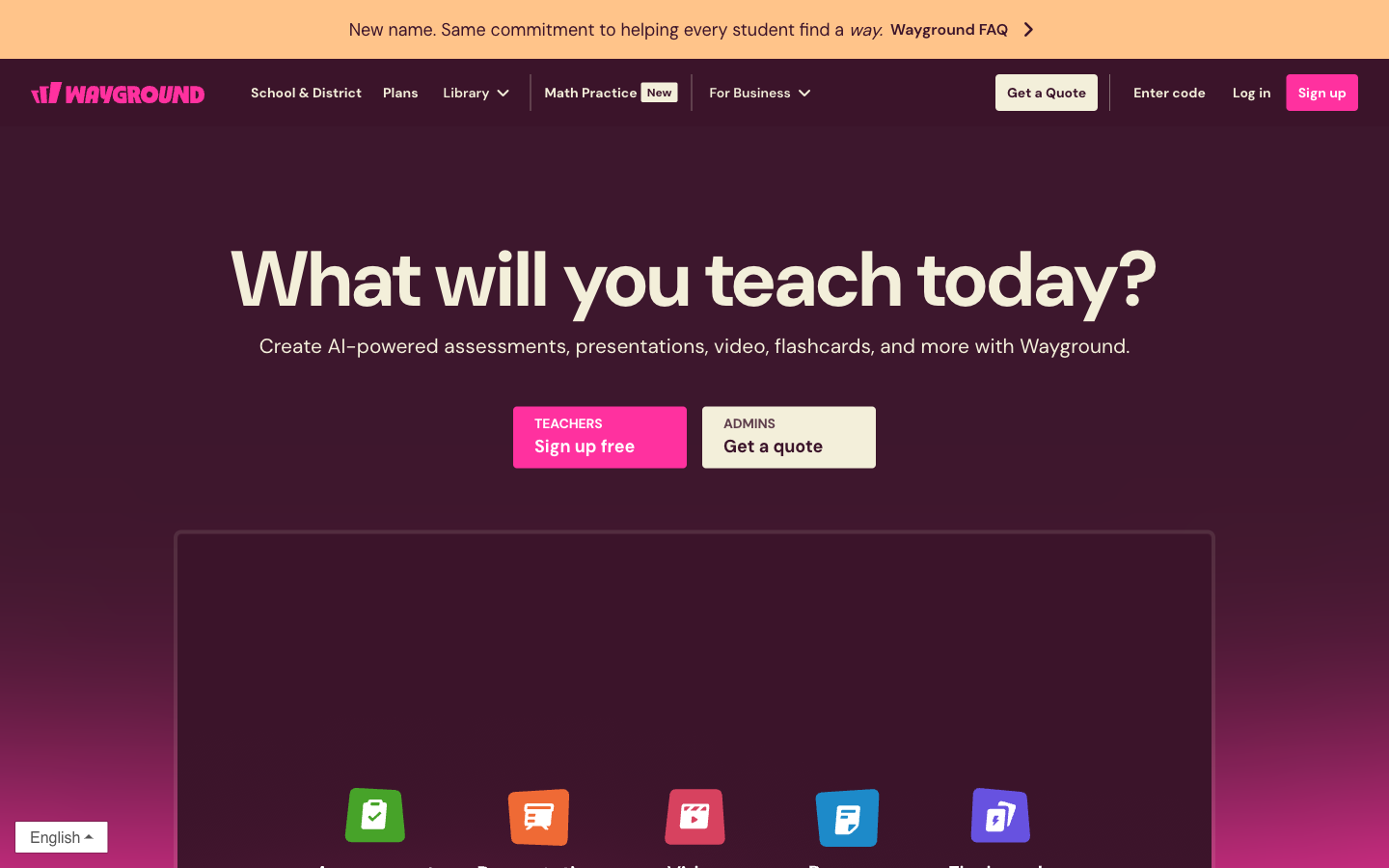
Wayground is the current name for Quizizz, the classroom platform used to create and run interactive lessons, quizzes, practice activities, and assessments. Existing Quizizz accounts, classes, resources, integrations, and join links were preserved through the rebrand, while the primary web address moved to wayground.com. Teachers can run live sessions or assign work asynchronously, monitor responses, and adapt resources; students can join with the method their teacher or school provides.
Test bench
- Scope
- logged-out evaluation
- Checked
We evaluated the public product path for a teacher who needs to turn one learning objective into a short live check, then reuse it as assigned practice. The useful question is not whether Wayground can generate a quiz; it is whether the teacher can keep control of pacing, review, and the student join path.
Account boundary: The public interface, current help center, plan documentation, and rebrand continuity were checked. Creating a class, admitting students, viewing live response data, and testing school-only controls require an educator or institutional account and were not represented as hands-on results.
-
Choose a delivery mode before adding content
Wayground distinguishes teacher-paced live sessions from assigned work. That decision changes when students participate and how the activity fits into a lesson, so it should be made before polishing questions.
-
Treat AI output as a draft
The fastest workflow is to generate or adapt a small question set, then inspect reading level, answer keys, distractors, and accommodations before students see it.
-
Check continuity if your school knew it as Quizizz
The name and primary domain changed, but existing accounts, classes, resources, join links, and common integrations were described as continuing through the rebrand.
- 1
Teacher outcome firstStart from the lesson objective and evidence of learning, not from a decorative game format.
- 2
Live or assignedPick the participation mode early because it determines timing, facilitation, and follow-up.
- 3
Review before launchOpen every generated question, verify the key, and remove ambiguous distractors.
Best for—and when to skip it
Best for
- Teacher-led formative checksLive and assigned modes support quick checks before, during, or after instruction.
- Schools moving from QuizizzExisting resources and common access patterns were carried into the Wayground rebrand.
- Mixed-format participationTeachers can combine quiz, lesson, practice, and assessment patterns in one classroom platform.
Not the best fit
- Independent flashcard studyA learner-first tool such as Quizlet is simpler when no teacher-run session is needed.
- High-stakes assessment without reviewGenerated wording and answer keys still need subject and accessibility checks.
- Procurement without a school quoteInstitutional controls and limits depend on the current school or district agreement.
Pricing and limits
Wayground uses a free starter plan plus individual and institutional options. Participant, storage, administration, and reporting limits matter more than the label alone; school pricing is quote- and region-dependent.
| Plan | Listed price | Best for | Important limits |
|---|---|---|---|
| Starter / Basic | Free | Trying a few classroom activities | Limited storage and library access; current documentation lists sessions for up to 100 participants. |
| Individual / Super | Varies by region and offer | A teacher who needs expanded creation and usage | Confirm current individual features, renewal price, and whether school-managed controls are included. |
| School / District | Contact sales | Shared libraries, administration, reporting, and procurement | Contract scope varies; current documentation describes higher participant capacity, including up to 1,000 for eligible plans. |
Pricing sources: Understanding Wayground plans ↗
Feature deep dives
Live versus assigned sessions
- What it does
- A live session synchronizes the class around teacher pacing, while an assigned session lets learners complete work on a schedule.
- Use it well
- Use live mode for misconception checks you will discuss immediately; use assigned mode when students need time, retries, or asynchronous access.
- Watch for
- Do not copy the same timing and feedback settings into both modes without considering accommodations and answer sharing.
AI-assisted resource drafting
- What it does
- Generates or adapts a starting activity so a teacher spends less time formatting questions and slides.
- Use it well
- Give it one objective, grade band, source passage, and a small question count; then edit the result against a rubric.
- Watch for
- Fluent questions can still contain an incorrect key, weak distractors, cultural assumptions, or language above the intended level.
Quizizz-to-Wayground continuity
- What it does
- Keeps familiar accounts, resources, classes, join paths, and common integrations under the new product name.
- Use it well
- Update internal documentation and bookmarks while testing one existing activity and join link before a school-wide announcement.
- Watch for
- Students and families may treat the new domain as an unfamiliar service, so explain that it is the renamed platform.
Quizizz is now Wayground: what is changing and what is not ↗
Run a reliable Wayground classroom session
A dependable session starts with the approved sign-in route, a tested student join path, and an activity whose answers have been reviewed before class.
Set up access and the student join path
Begin with wayground login using the school-approved account, then open a private browser window and join wayground as a student. The teacher screen should show a wayground code, while the student view should accept the same wayground join code without exposing teacher controls.
Document the full wayground join flow for substitutes and families. If the instructions use wayground join class, wayground.com join, or https wayground com join class, test the destination on a managed student device; a compact bookmark labeled wayground/join should reach the same approved participation screen.
A district allowlist containing only www.wayground may not cover every required host, so test authentication and content delivery before class. Keep the final bookmark name as 'wayground' and verify that the saved destination ends at wayground.
Keep the Quizizz rebrand understandable
The phrase wayground formerly quizizz is useful in migration notes because it connects the current platform with teachers’ existing accounts and activities. A short answer to why did quizizz change to wayground should explain the product rename while confirming that saved classes, resources, and established join links continue.
Use the current wayground logo in new staff documentation, but keep a temporary wayground quizizz note beside older screenshots so readers recognize the same service. If one department names its shared folder waygrounds while another uses waygrounde, assign a clear owner and standardize the folder structure before copying activities.
Prepare activities and protect assessment integrity
Build one short wayground quiz around a single objective and inspect every key and distractor. For a larger library of wayground quizzes, record the course, grade band, source material, review date, and responsible teacher so outdated questions are easy to retire.
Use wayground join class as a rehearsal step before graded work, then review pacing, names, retries, and result visibility. To reduce wayground cheats during higher-stakes activities, vary question order where appropriate, limit unnecessary answer exposure, and follow the school’s assessment policy.
Direct alternatives comparison
All three can produce study or assessment material, but their center of gravity differs: teacher-run participation, learner-run recall, or rapid source-to-quiz conversion.
| Tool | Choose it when | Main tradeoff | Price position |
|---|---|---|---|
| WaygroundReviewed | A teacher needs to present, pace, assign, and monitor an interactive classroom activity. | More classroom setup and governance than a personal study tool. | Free entry; individual and school upgrades |
| Quizlet | Students primarily need reusable flashcards and independent recall practice. | Less centered on teacher-led live facilitation. | Free entry plus paid study features |
| Quizgecko | The main job is converting text or a topic into quizzes and study material quickly. | A narrower classroom-session layer than Wayground. | Free trial/entry and paid creation plans |
Privacy and risk checklist
For classroom software, the important review is not only what the teacher uploads but also what students submit, who can see it, and how the school configures accounts.
-
Student data
Student participation can create response and account data governed by the product and the institution's setup.
Do this: Use the school-approved account path, collect only needed data, and review the privacy center before inviting a class.
-
Generated accuracy
AI-assisted questions may be plausible without being instructionally or factually correct.
Do this: Require a teacher answer-key check and read every distractor before publishing.
-
Public display
Live classroom modes can expose names, rankings, or responses depending on activity settings.
Do this: Preview the student screen and disable unnecessary public identifiers or competitive displays.
Difference between live and assigned sessions ↗Wayground privacy center ↗
-
Plan changes
Participant caps, libraries, storage, reporting, and administrative controls differ by plan.
Do this: Pilot with the exact account type the school will buy and record the quoted limits in procurement notes.
Wayground FAQ
Is Wayground the same as Quizizz?
Wayground is the new name for Quizizz. The company says existing accounts, classes, resources, join links, legal agreements, and common integrations continued through the change.
Quizizz is now Wayground: what is changing and what is not ↗
Can students use old Quizizz join links?
The rebrand guidance says existing join links continue to work. Test a saved link from the student view before an important session.
Quizizz is now Wayground: what is changing and what is not ↗
What is the difference between live and assigned Wayground sessions?
Live sessions are run in real time with the class; assigned sessions are completed on a schedule outside a synchronized teacher-led session.
Is Wayground free for teachers?
A free starter option exists, with limits on areas such as storage, library access, and participant capacity. Paid individual and institutional plans expand access.
Can Wayground generate a quiz with AI?
Wayground promotes AI-supported resource creation. Treat the result as a draft and verify wording, answer keys, grade level, and accessibility before use.
Is Wayground suitable for high-stakes tests?
It can support assessments, but a high-stakes use needs stronger item review, identity, accommodation, security, and institutional governance than a quick classroom quiz.
Copyable recipes
Five-minute misconception check
You need evidence of understanding before deciding what to reteach.
Objective: [one observable learning objective]
Grade/course: [level]
Create exactly 5 questions:
- 2 retrieval
- 2 application
- 1 misconception diagnosis
For each: answer, short rationale, and why each distractor is wrong.
Do not add facts beyond: [paste approved source].- Generate the draft from one approved source.
- Correct the key and remove any ambiguous distractor.
- Run live, then group wrong answers by misconception rather than score alone.
Convert live work into assigned practice
Students need a second attempt after a teacher-led check.
Adapt this live check for independent practice.
Keep the same objective.
Add one hint before each answer.
After each answer, explain the rule in 2 sentences.
Allow [number] attempts.
Flag any item whose answer depends on classroom discussion.- Duplicate the reviewed live activity.
- Replace discussion-dependent prompts with self-contained context.
- Preview the complete student path before assigning.
Features
Interactive instructional resources
Create or adapt quizzes, lessons, practice activities, and assessments for teacher-led or student-paced use.
Live and assigned delivery
Run an activity with the class in real time or assign it for completion on a schedule outside the live session.
Preserved Quizizz access
Existing accounts, classes, resources, join links, legal agreements, and common integrations remain available after the name change.
AI-supported preparation
Use Wayground’s AI-supported resource workflow as a starting point while keeping the teacher responsible for accuracy, level, and classroom fit.
Pros and cons
Strengths
- Existing Quizizz users keep their accounts, classes, and resources after the rebrand.
- Supports both synchronous classroom sessions and asynchronous assignments.
- Combines instruction, practice, and assessment in one teacher-facing workflow.
- Students can continue using established join links and school integrations.
Limitations
- The Quizizz-to-Wayground name change can confuse students, families, and school IT teams.
- AI-generated or adapted materials still require teacher review for correctness and grade-level fit.
- Available controls and limits vary across free, teacher, school, and district arrangements.
- Schools must review privacy, accessibility, rostering, and procurement requirements before broad deployment.
How to get started
Use a low-risk classroom activity to verify the current Wayground workflow before moving graded or sensitive work into the platform.
Confirm the Wayground identity
Sign in at wayground.com with the account previously used for Quizizz, then verify that expected classes and resources are present.
Choose or create one resource
Open a library resource or create a short activity, then check every question, answer, image, and explanation before assigning it.
Select live or assigned mode
Use a live session when the class should progress together; use an assigned session when learners need a completion window.
Test the student join path
Open the provided join route in a separate browser context and confirm that names, access settings, and pacing behave as intended.
Review responses before reuse
Inspect participation and answer patterns, correct ambiguous material, and duplicate the activity only after the first run has been reviewed.
Where it fits
Formative assessment
Check understanding during or after instruction without treating the first AI-assisted draft as an answer key.
Whole-class review
Run a live, paced review where the teacher controls the session and can respond to misconceptions as they appear.
Independent practice
Assign a reviewed activity for completion outside class with the deadline and attempt rules made explicit.
Identity check
Quizizz changed its name—not your classroom history
The useful question is not “What new app is this?” It is “What must change around an existing Quizizz workflow?”
Name and primary domain
Quizizz is now Wayground, with wayground.com as the primary address.
Accounts and resources
Classes, activities, integrations, contracts, and existing access continue.
Update the edges
Tell students and families, test join links, and ask IT to allow the new domain.